Vendor Submission Spreadsheets
Slingshot can import metadata from vendors' submission documents straight to Shotgrid/Flow. Vendors simply include their spreadsheet in their submission packages, and Slingshot handles the rest.
It can be customized to work with any format, or use the example template provided below.
Best Practices
File formats
.csv, .xls, .xlsx, and .ods files are all supported.
Functions and formulas will be ignored, all values must be in plain text.
Document Structure
Required Columns
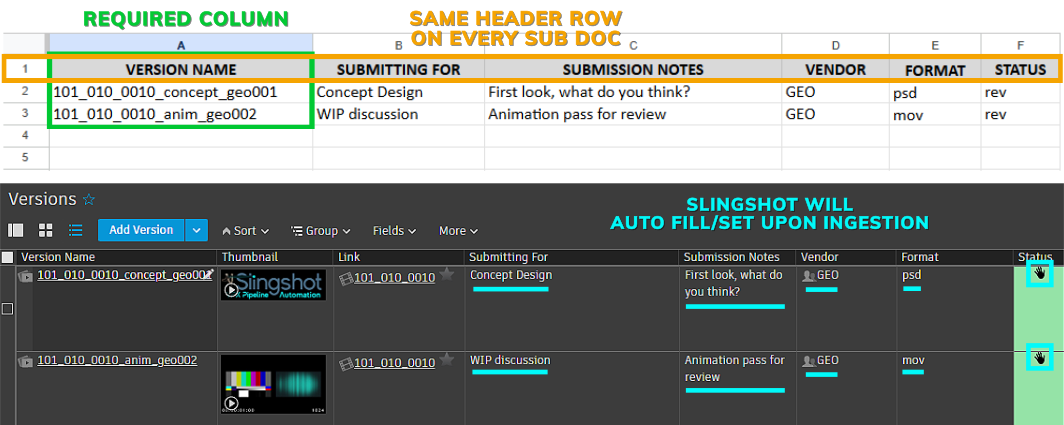
The only required column is VERSION NAME. All other columns will be ingested into that Version in Shotgrid/Flow.
Version Rows
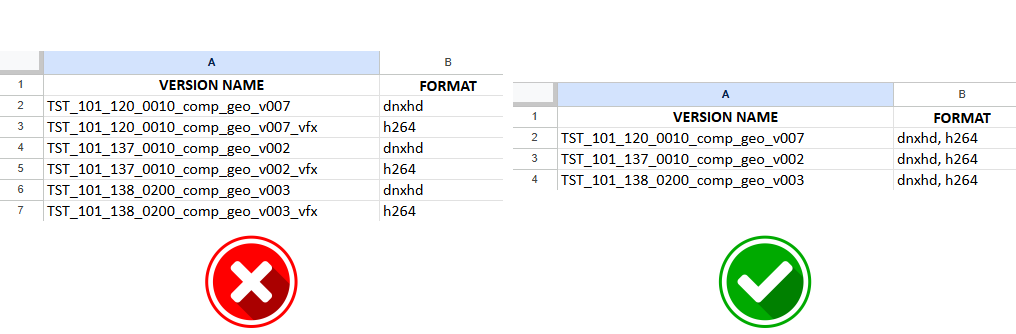
There should be only one row per version number (not per codec/format). Duplicate Version rows will be ignored.
Column Headers
Consistent Headers
The header row number must be the same for all vendors. We recommend using a standard template.
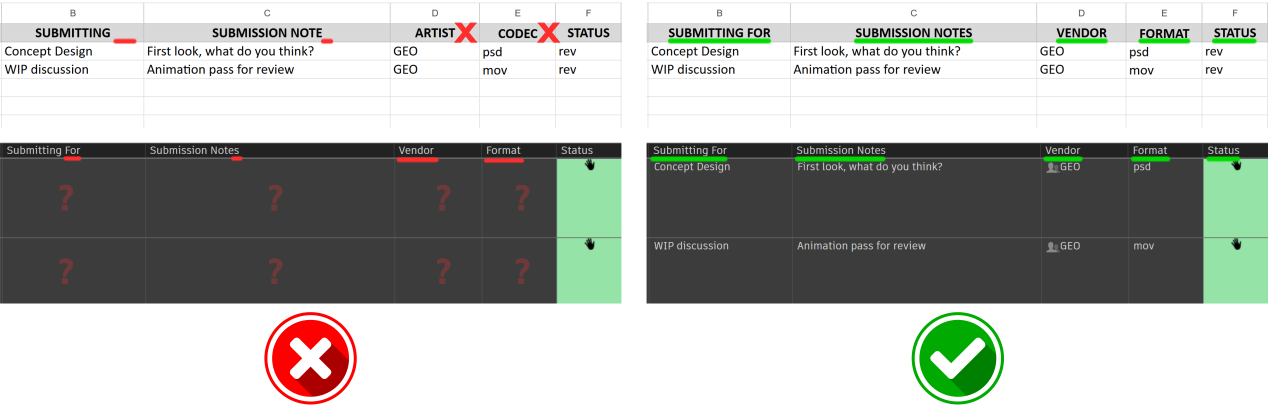
Column header names must match Field names in Shotgrid/Flow exactly, case-insensitive.
Link / Entity Fields
Slingshot parses shot names, etc from the VERSION NAME directly. Any Link or Entity columns will be ignored.
Data Conversion
Slingshot will attempt to convert values on the spreadsheet into the type of data that Shotgrid expects for each field.
For example:
- Numbers
0000will be converted to strings"0000"to be stored ontextfields - Correct
Capitalizationwill be detected forlistfield values - Status
names('Pending Review') will be correctly mapped to theircode('rev'), case-insensitive - Dates will be converted to
strings('2000-01-01'), while timestamps will be converted todatetimes('2000-01-01 01:10:20') - Checkbox fields can use
t,true,x,y,yes, or1to indicate checked
Example Document
Download Template
 To download a basic template, click here.
This can be further customized to your show's needs.